Fax machines feel like relics, yet millions of documents still travel by fax every day — medical records, legal contracts, insurance claims, government forms. If you only need to send a fax once or twice a year, paying for a monthly subscription makes no sense. That's where one-time online fax services come in.
What One-Time Faxing Is and When to Use It
One-time faxing lets you pay per send rather than locking into a recurring plan. You access the service through a browser or mobile app, transmit your document, and that's it — no monthly bill, no forgotten subscription quietly draining your card.
Who Benefits from One-Time Fax Services
The clearest candidates are individuals and small businesses with sporadic faxing needs. A freelancer submitting a signed contract, a patient returning a medical intake form, a small business owner responding to a vendor's purchase order — none of these people need a dedicated fax line. Online fax services one time are built exactly for them.
Healthcare patients sending HIPAA-covered documents, lawyers submitting court filings, and HR teams transmitting onboarding paperwork to partner agencies are also frequent users. Even large enterprises occasionally need to fax a document from computer when a recipient's system only accepts fax transmissions.
Documents Commonly Sent via One-Time Fax
The most common use cases cluster around time-sensitive paperwork: insurance claims, loan applications, prescription authorizations, government benefit forms, and legal releases. Many of these documents carry a deadline — which is precisely why the ability to send quickly from any device matters so much.
How to Send a One-Time Fax From Your Computer
The process is straightforward, even if you've never done it before. Most reputable services walk you through it in under five minutes.
What You Need Before You Start
Before you begin, have three things ready: the document you want to send (PDF or DOCX are universally accepted; some services also handle JPG and PNG), the recipient's full fax number including country and area code, and a valid email address for delivery confirmation. That's genuinely all it takes to send a one time fax from my computer or yours.
Step-by-Step Process
Start by visiting the provider's site and creating a lightweight account — most one-time services only ask for an email and a payment method. No long-form profile required.
Next, upload your file. PDF is the safest choice because formatting stays intact. If your document is a Word file or image, convert it to PDF first using a free tool like Adobe Acrobat online or your operating system's built-in print-to-PDF function.
Enter the recipient's fax number. Double-check it. A single transposed digit sends your document to a stranger — or nowhere at all. Add a cover page if the service offers one; most do at no extra charge, and a cover page helps the recipient identify what arrived.
Hit send. Within seconds to a few minutes, the platform routes your transmission through the public switched telephone network. Watch your email or the provider's dashboard for a delivery confirmation. Some platforms also offer SMS alerts.
Choosing the Right One-Time Online Fax Service
Not every provider is built the same. Picking the wrong one means surprise fees, failed sends, or inadequate security for sensitive documents.
Key Features to Compare
Transparent pricing is the first filter. Look for providers that show a clear per-page rate upfront — something like $1.99 to $3.99 to send a fax with a base fee, then $0.10 to $0.25 per additional page. Any service that buries fees in a terms-of-service footnote deserves skepticism.
Beyond price, check supported file types. PDF and DOCX are table stakes; support for TIFF, JPG, and PNG is a bonus for users working with scanned images. Mobile app availability matters if you need to fax away from a desktop. E-signature integration is worth evaluating if you frequently need to sign before sending.
International coverage is easy to overlook. If your recipient is outside your country, confirm the service supports that country's fax network and understand the per-page surcharge, which commonly runs two to three times the domestic rate.
When to Pick Pay-Per-Fax vs. Subscription
The math is simple. If you send fewer than 10 to 15 pages a month, one-time pricing almost always wins. Push past that threshold consistently, and a low-cost monthly plan — some start around $7 to $10 per month — becomes cheaper than stacking individual sends. Run the numbers before committing either way.
Pricing, Page Limits, and Add-On Fees
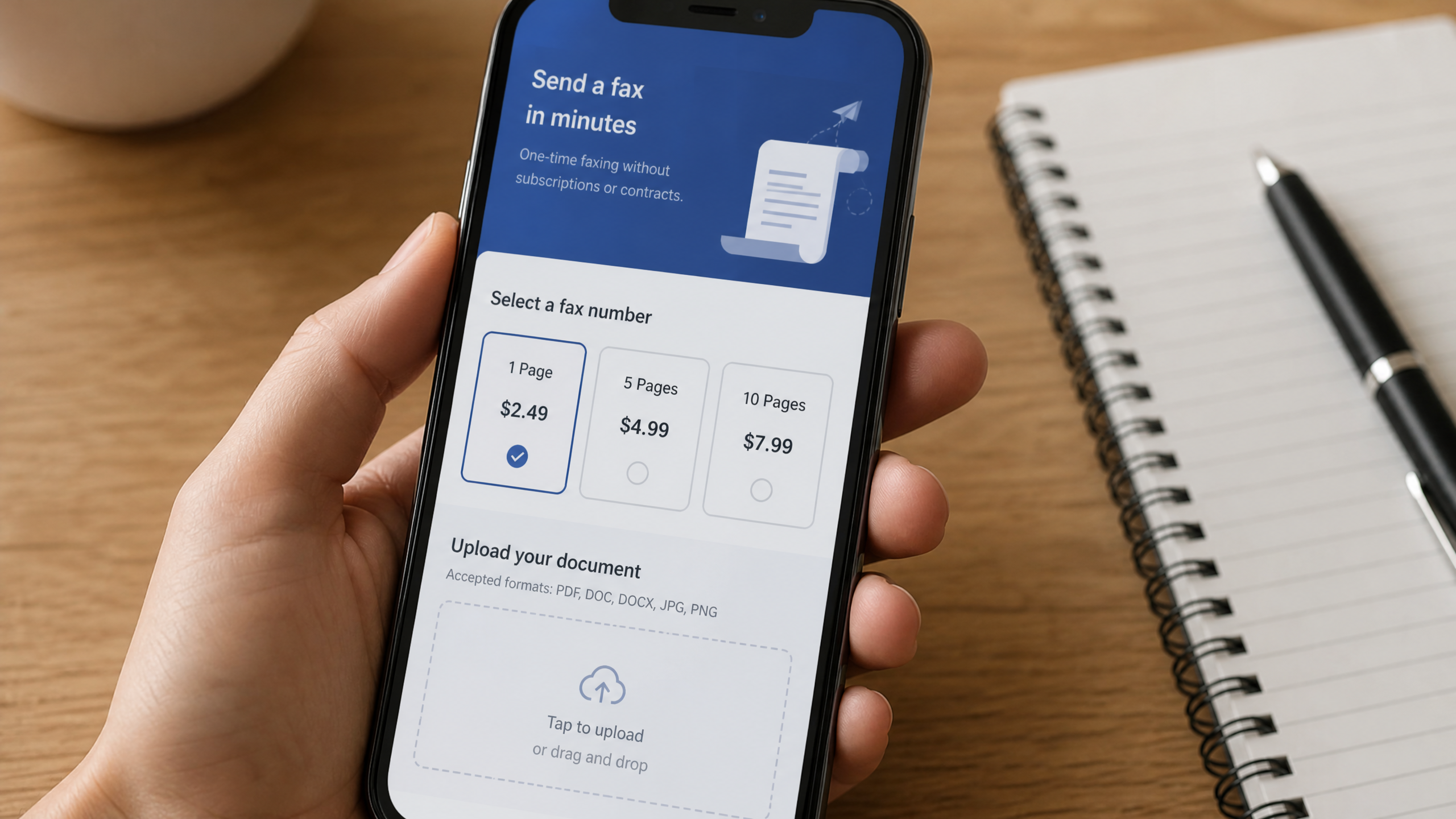
Understanding the full cost structure prevents unpleasant surprises at checkout.
Typical Costs for One-Time Faxes
Most providers charge a base send fee between $1.99 and $4.99, which covers a set number of pages — often the first one to five. Beyond that, per-page rates typically run $0.10 to $0.25 domestically and $0.25 to $0.50 for international destinations. Cover pages are usually free and don't count toward your page total, but every other attachment does.
That last point trips people up. If you attach a three-page document and a two-page exhibit, you're faxing five pages, not three. Know your total page count before you finalize the order.
Ways to Keep Costs Low
Batch everything into a single PDF before uploading. Sending one consolidated file is almost always cheaper than initiating multiple separate transmissions, since each send carries its own base fee.
Some providers sell prepaid credit bundles — 50 pages for $15, for example — that lower your effective per-page rate if you anticipate sending several documents over the next few months. That middle-ground option suits users who fax more than once but not frequently enough to justify a subscription.
Security, Compliance, and Privacy
A fax carrying medical records or financial data needs more than a successful delivery confirmation. It needs genuine security.
Protecting Sensitive Documents
Look for TLS (Transport Layer Security) encryption during transmission and encrypted storage for any documents temporarily held on the provider's servers. Reputable services encrypt uploads the moment they land on the platform, well before the fax transmits.
Access controls matter too. Can you set a document to auto-delete after delivery? Can you limit who within your account can view sent fax history? These features reduce exposure in the event of a data breach.
Provider Credentials to Verify
If you're handling healthcare data, the provider must offer HIPAA-ready infrastructure — which typically means a signed Business Associate Agreement (BAA). SOC 2 Type II certification signals that an independent auditor has verified the provider's security controls over time, not just at a single point-in-time snapshot.
For legal and financial documents, audit trails and timestamped delivery receipts are non-negotiable. These records establish proof of transmission if a dispute arises later.
Troubleshooting and Best Practices for First-Time Senders
Even straightforward sends can go wrong. A little preparation eliminates most failure scenarios.
Avoid Failed Transmissions
The most common cause of a failed fax is a wrong number. Verify the recipient's fax number directly — call their office if necessary — and include the correct country code and area code. Many international send failures trace back to a missing "1" for North American numbers or a missing country exit code.
Timing matters more than people expect. Fax networks experience congestion during peak business hours, particularly mid-morning. If your first attempt fails, retry during off-peak windows: early morning, lunch hour, or late afternoon.
Optimize Document Quality
High-contrast, text-based PDFs transmit more reliably than scanned photographs or low-resolution images. If you're scanning a physical document, use at least 200 DPI — 300 DPI is better. Black text on a white background requires less data to transmit than grayscale photos, reducing the chance of a garbled or incomplete fax.
Enable every confirmation option your provider offers. Email delivery receipts are standard, but SMS alerts and dashboard status logs give you a real-time second opinion. If the system reports a failed transmission, check the error code — many providers list common codes and their fixes in a support article, so resolution is often a quick self-service step rather than a support ticket.
Sending a fax doesn't have to be complicated or expensive. The right one-time online fax service gets your document where it needs to go in minutes, without a subscription, without a fax machine, and without the headache.